
Preferences Command
The Preferences command shows the Preferences dialog, which allows you to customize ExpertGPS to use your preferred coordinate formats and units of measure.
To show the Preferences Dialog, do one of the following:
- On the , click .
- Press Ctrl+Shift+P.
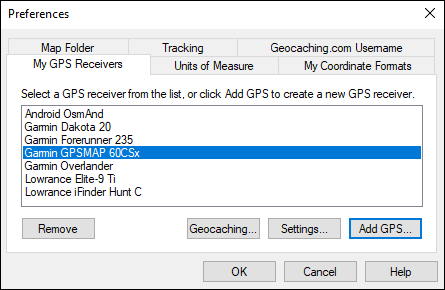
The Preferences dialog will appear.
To manage your GPS receivers, click the My GPS Receivers tab.
To switch between standard, nautical, and metric units of measure, click the Units of Measure tab.
To switch the coordinate format and datum that ExpertGPS uses to display coordinates, click the My Coordinate Formats tab.
To change the location on your hard drive where ExpertGPS stores maps, click the Map Folder tab.
To configure ExpertGPS for real-time tracking, click the Tracking tab.
Related Topics



© 1998-2024 TopoGrafix – 24 Kirkland Dr, Stow, MA – Email: support@expertgps.com