
Working with Types
Types allow you to classify items. Every item in ExpertGPS (waypoints, routes, tracks, shapes, and notes) has a type. A hiker might create waypoints with these types: Trailhead, Intersection, Summit, Camp. A farmer might use shapes to mark his fields, and give them these types: Corn, Soybeans, Fallow.
An item's type determines how it is displayed on the map. If you look at a professionally made map of your area, you'll see that all of the lakes are displayed using the same color and font. All of the airports are displayed with the same symbol and font. Color, font, and symbol provide strong visual clues that make the map easier to read and understand.
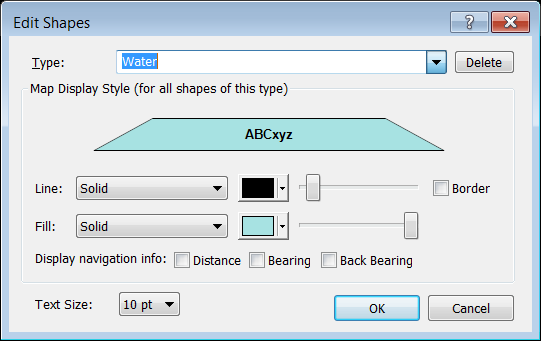
ExpertGPS allows you to create and manage your own personal list of types that meet your mapping needs. The Edit dialogs for each item in ExpertGPS (Edit Waypoint dialog, Edit Route dialog, etc) contain the Type Controls, which you will use to manage your personal type lists.
You can select an existing type by clicking on the drop-down Type list at the top of each Edit dialog. To create a new category that isn't in the list, type the new name into the list box. Click the Delete button to get rid of a Type you won't be using anymore.
Show Only Items of Same Type Command
The Show Only Items of Same Type command removes everything except items of the same type from the list or map, but does not delete them. For example, imagine you are working with a large master map of your area that contains dozens of hiking trails, dirt roads, trailheads, and summits. You may want to quickly focus on the hiking trails so that you can make some edits to them. Right-click on a hiking trail and click Show Only Items of Same Type. Now all of the other types of tracks and waypoints are hidden, and you can concentrate on the trails. When you are finished, click Show All on the Edit menu, or Clear at the top of the List View, and all of the hidden items will be shown again.
To temporarily show only one type of data, do the following:
- Select an item on the map or in a list
-
Then, do one of the following:
- On the , click .
- Right-click on the selected item, and click .
Everything except the selected items will be removed from the map or list.
To make the hidden items visible again, use the Show All Command.



© 1998-2026 TopoGrafix – 24 Kirkland Dr, Stow, MA – Email: support@expertgps.com