
Project Waypoint Command
The Project Waypoint Command creates a new waypoint a fixed distance and bearing from the selected waypoint.
To project a waypoint, do the following:
- Select a single waypoint.
-
Then, do one of the following:
- On the , click .
- Right-click the selected waypoint, and click .
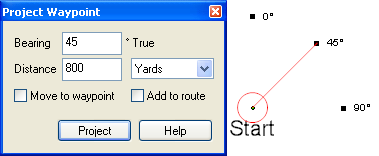
The Project Waypoint window will appear. Enter the distance and bearing to the new waypoint, and click . The Edit Waypoint dialog will appear, allowing you to label the projected waypoint.
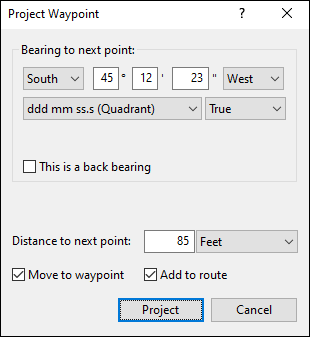
- Bearing
- Enter the bearing to the new waypoint, in true degrees.
- Distance
- Enter the distance to the new waypoint.
- Move to waypoint
- If Move to waypoint is checked, the new waypoint will become the starting point for further projections.
- Add to route
- If Add to route is checked, the new waypoint will be added to a route.
Tips
-
To project multiple waypoints from a central location, clear Move to waypoint.
- To project a new waypoint without displaying the Edit Waypoint dialog, hold the Shift key while clicking . The waypoint will have the same type as the last waypoint you created.



© 1998-2024 TopoGrafix – 24 Kirkland Dr, Stow, MA – Email: support@expertgps.com