
Working with Topo Maps
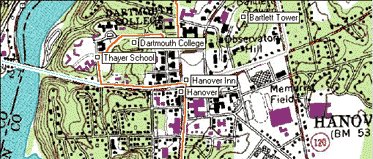
ExpertGPS shows your GPS data on USGS topo maps, using a UTM projection. As you move around the map, ExpertGPS will retrieve map data over the Internet and display it on your map. The map server that ExpertGPS uses has topo maps for all 50 states in the US.
Working with Maps
Read about the basic commands for interacting with all of the maps in ExpertGPS.
Showing a Topo Map
To show a Topo Map, click on the .
Internet Map Retrieval
To allow ExpertGPS to retrieve topo maps over your Internet connection, click on the .



© 1998-2024 TopoGrafix – 24 Kirkland Dr, Stow, MA – Email: support@expertgps.com