
GPS Error Messages
Invalid route number
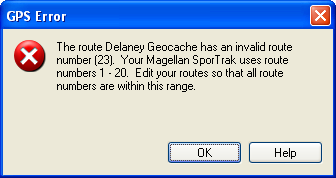
Your GPS receiver identifies routes by number. The number of one of the routes you are attempting to send to your GPS is outside the range of numbers used by your GPS. Edit the route and give it a different route number.
Route numbers not unique
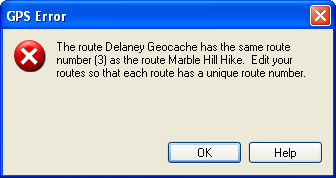
Your GPS receiver requires each route to have a unique number. Two of the routes you are attempting to send to your GPS have the same route number. Edit one of the routes and give it a different route number.
Too many waypoints in route
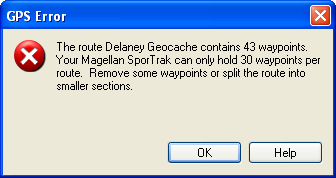
One of the routes you are attempting to send to your GPS contains more waypoints than your GPS can hold. Reduce the number of waypoints in the route by deleting some waypoints, or by breaking the route into several smaller routes.
Empty waypoint name
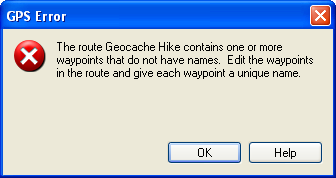
Every waypoint that is used in a route must have a unique name. If you created route waypoints by clicking on blank parts of the map, you need to edit these waypoints and give them a name before sending the route to your GPS. To edit waypoints as you create them, type Enter after the new route waypoint has been created.
Invalid track number
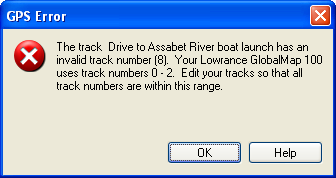
Your GPS receiver identifies tracks by number. The number of one of the tracks you are attempting to send to your GPS is outside the range of numbers used by your GPS. Edit the track and give it a different track number.
Track numbers not unique
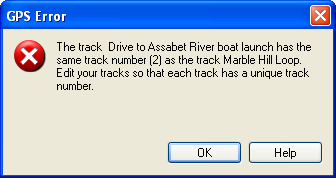
Your GPS receiver requires each track to have a unique number. Two of the tracks you are attempting to send to your GPS have the same track number. Edit one of the tracks and give it a different track number.
Too many trackpoints in saved track
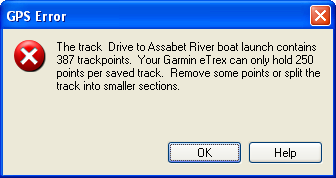
One of the saved tracks you are attempting to send to your GPS contains more trackpoints than your GPS can hold. Reduce the number of trackpoints in the track by deleting some trackpoints, or by breaking the track into several smaller tracks.
Too many trackpoints in active track
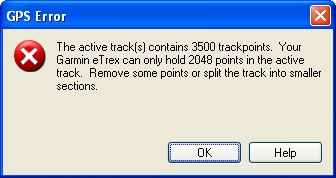
The active track you are attempting to send to your GPS contains more trackpoints than your GPS can hold. Reduce the number of trackpoints in the track by deleting some trackpoints.



© 1998-2024 TopoGrafix – 24 Kirkland Dr, Stow, MA – Email: support@expertgps.com